Is the M1 MacBook Air Still Worth Buying in 2026?
The 2020 M1 Air still runs the latest macOS and lasts all day — whether it's a great buy in 2026 comes down almost entirely to its memory.
Encore Editorial · Sep 5, 2026 · 6 min read
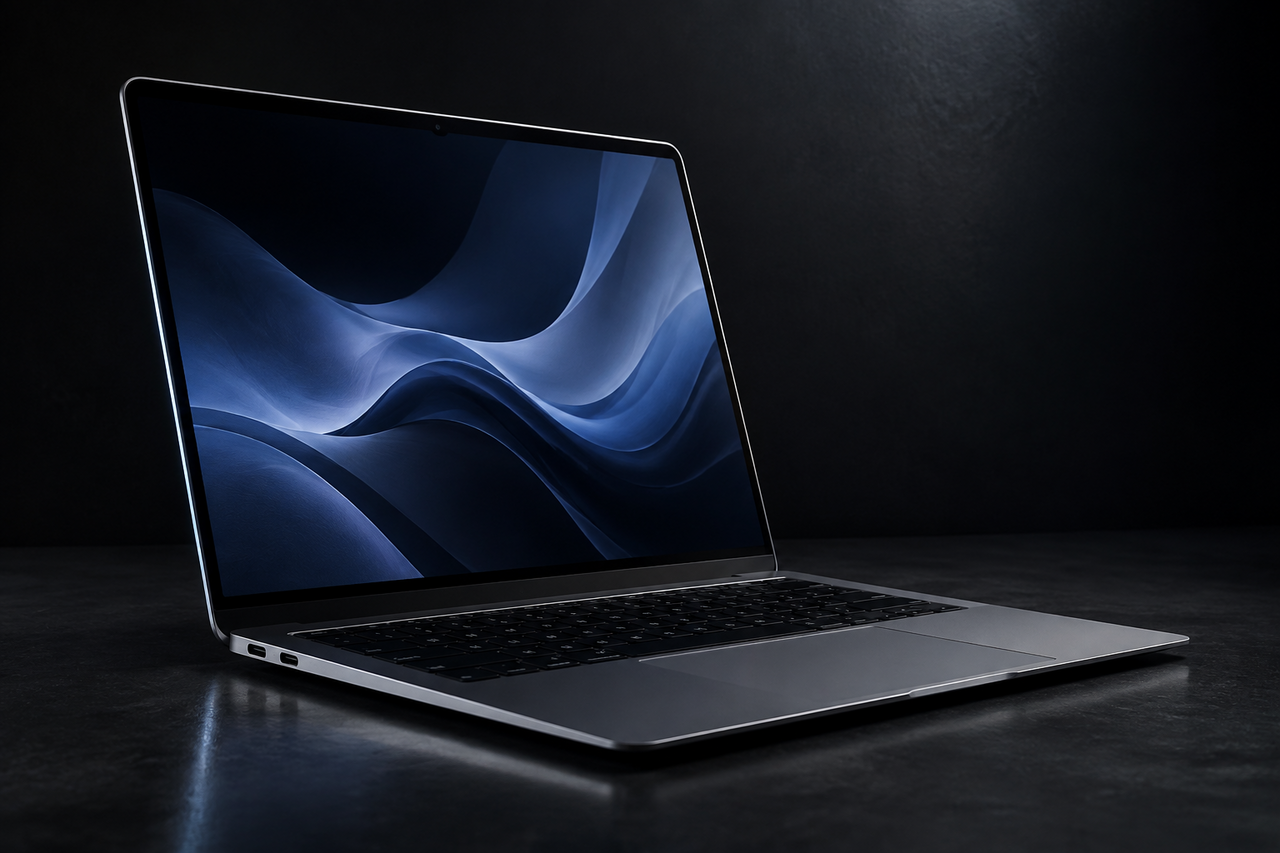
Nearly six years after it launched, the M1 MacBook Air is still the machine people ask about most when they want a cheap Apple laptop that doesn't feel cheap. That question — is the M1 MacBook Air still worth buying in 2026 — has a genuinely interesting answer this year, because the used market has changed in the laptop's favor even as newer chips have pulled further ahead. The short version: for the right buyer it is one of the best values in computing. For the wrong one, it's a false economy. The difference comes down almost entirely to one number, and it isn't the price.
Here is what still holds up, where the machine shows its age, and how to tell which camp you fall into before you buy.
The M1 MacBook Air still runs the current macOS
The most important thing to know is that the 2020 M1 Air is not a dead-end purchase. Apple's own compatibility list confirms the MacBook Air (M1, 2020) can install macOS Tahoe 26, the current release — the same operating system running on brand-new machines. That matters more than any benchmark. A laptop that gets the newest OS also gets the current security patches, the latest Safari, and app compatibility for years to come.
It also still qualifies for Apple Intelligence. As one 2026 buyer's guide notes, M1 MacBooks remain compatible with macOS Tahoe 26 and Apple Intelligence, so you're not locked out of the AI features Apple is building into the system — though the most demanding on-device models are reserved for newer, higher-memory chips. In practical terms, an M1 bought today has a comfortable runway of software support ahead of it, not months.
Everyday performance holds up better than the spec sheet suggests
The original M1 was a genuine leap, and that head start is why it still feels quick at ordinary tasks. Web browsing, email, documents, video calls, and 4K streaming all run smoothly. The fanless design is a real, underrated advantage: the Air is completely silent, never gets warm doing normal work, and there's no fan to collect dust or fail years down the line. Battery life remains excellent for the class — a used unit in good health will still get most people through a full workday, and reputable sellers typically list battery health so you know what you're getting.
The trade-offs are the ones that laptop has always had. There are only two USB-C ports, and the M1 supports just one external monitor, so a dual-display desk setup is off the table without workarounds. Neither is a dealbreaker for a primary-use laptop, but both are worth knowing before you commit.
The M1 MacBook Air's limiter in 2026 isn't the chip — it's the memory. An 8GB model is excellent for light, focused use and frustrating for heavy multitasking. Match the RAM to your workload and the rest of the machine will keep up.
8GB of RAM is the decision that matters
Because Apple Silicon uses unified memory soldered onto the chip, you can never add RAM later — the amount you buy is the amount you keep for the life of the machine. That makes the memory configuration the single most important thing to check on a used M1 Air.
The base model ships with 8GB, and in 2026 that's a sharper dividing line than it used to be. For genuinely light use it's still fine, and the M1's memory management stretches 8GB further than the raw figure implies. But modern browsers, larger creative apps, video calls, and local AI features all compete for that space, and low-memory systems hit their ceiling sooner than many buyers expect. That's why 16GB has effectively become the sensible baseline on current Macs. Here's a simple way to sort yourself:
- 8GB is enough if your day is web browsing, office documents, email, streaming, video calls, and light photo edits — one or two apps in focus at a time.
- Hold out for 16GB if you keep dozens of tabs open, run creative apps, juggle many programs at once, or lean on AI-assisted tools. On a used machine the upgrade is essentially free of penalty — you're just choosing a different listing.
- Step past the M1 entirely if you regularly need a two-monitor setup or sustained heavy workloads. The newer Airs start at 16GB and drive two external displays, and an M5-class chip claims multiples of the M1's AI and image-processing throughput.
Why the M1 has aged so gracefully
There's a market reason the M1 Air is still a smart buy rather than a bargain-bin relic, and it's worth understanding. A global memory shortage has pushed up the cost of RAM and storage across the whole industry, which makes newer Macs pricier and lifts the value of every Apple Silicon machine already in circulation. Older M1 and M2 laptops that would normally be deep into their depreciation are being held up by a market where the alternative — buying new — keeps getting more expensive. The upshot for a buyer is that the M1 Air holds a large share of its value and remains competitive, and for an owner it means the machine in your bag is likely worth more than the "it's five years old" math in your head assumes.
Should you buy — or sell — instead?
If you're weighing an M1 Air against a newer model, the honest calculus is this: the M1 wins decisively on value for light, everyday computing, and the newer Airs win on memory headroom, dual-display support, camera quality, and AI horsepower. Buy the M1 for what it is — a quiet, long-lived, still-supported laptop for ordinary work — not for what a current-generation machine does.
And if reading this made you realize the M1 Air already sitting in a drawer is worth more than you thought, that cuts both ways. Because the used market is unusually firm right now, this is a good moment to find out where an older Air stands. The fastest way to know is to get a real offer in about 30 seconds rather than guess — and Encore buys them working or not, with free shipping and no seller fees.
The bottom line
In 2026 the M1 MacBook Air is still worth buying — with one condition. It runs the current macOS, qualifies for Apple Intelligence, stays silent and cool, and lasts all day, which is more than most laptops its age can claim. The only real risk is buying too little memory for how you actually work. Get the RAM right and you're buying one of the best-value laptops available. Get it wrong and you'll feel the ceiling within weeks. If you're upgrading from one and want to know what your current Air is worth before you shop, you can check its value in about 30 seconds.
Get an instant offer on your Mac
A real number in about 30 seconds — working or not. Free prepaid shipping, no seller fees, paid the day it arrives.*
Get my offerSources
More from Encore
 Value & Depreciation
Why MacBooks Hold Their Value Better Than Windows Laptops
Long software support, durable build, ecosystem pull, and steady demand keep used MacBooks worth far more than Windows laptops.
Sep 27, 2026 · 6 min read
 Value & Depreciation
Mac Studio vs Mac Pro: Which Holds Value Better?
Same silicon, very different depreciation: why the Mac Studio resells easily and the Mac Pro gives back more of its value.
Sep 27, 2026 · 6 min read
 Value & Depreciation
The iMac Pro: An Orphaned Powerhouse's Second Life
Discontinued, now Intel-sunset, still capable: who the iMac Pro is for in 2026 and how to value one.
Sep 27, 2026 · 6 min read