How to Take Photos of Your Mac That Help It Sell
Even light, a clean background, and the honesty to show every flaw turn a Mac listing from suspect to trustworthy — and trust is what closes the sale.
Encore Editorial · Nov 12, 2026 · 5 min read
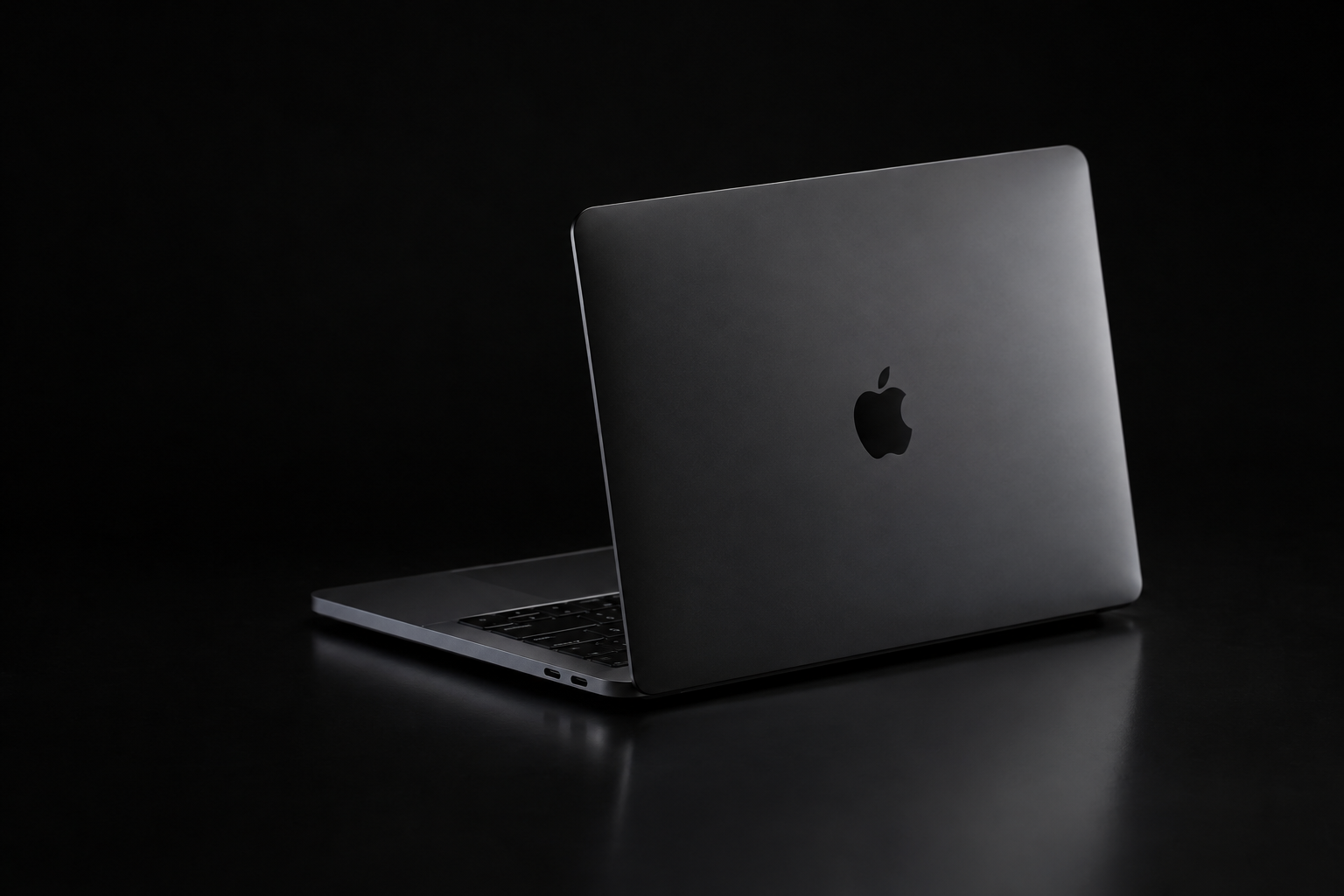
If you are selling a Mac to a private buyer, the photos do most of the work before a single message is exchanged. Learning how to take great photos of your Mac for resale is less about owning a nice camera than about three plain habits: even light, a clean background, and the honesty to show the machine exactly as it is, scuffs and all. Do those well and your listing reads as trustworthy, which is what turns a browser into a buyer. Do them badly — a dark phone snap on a cluttered couch — and even a mint Mac looks suspect.
Here is how to shoot a Mac so it photographs like what it is: a clean, honestly described machine worth the asking price.
Light it evenly and kill the glare
Aluminum and glass are reflective, which makes lighting the whole game. The most reliable source costs nothing: a window. As the product-photography guide at Light Stalking puts it, natural window light is "by far and above the most even and well-exposed type of lighting," and the key is to diffuse it so you get "an even distribution of light on your item" with no harsh shadows. Avoid your phone's direct flash — it throws a hard hotspot across the lid and screen.
The enemy is glare. A hard light source reflects off the display and the aluminum as bright blown-out patches that hide the very surfaces a buyer wants to inspect. The electronics-focused guidance at Dresma recommends ensuring "the light is evenly distributed around the product to avoid unnecessary shadows," using a softbox or ring light if you have one. Soft, wraparound light is what makes brushed metal look like brushed metal instead of a sheet of white.
Use a plain, clean background
A simple backdrop does two jobs: it removes distractions and it signals that you took the sale seriously. Light Stalking suggests "just plain black or plain white," or an even wood or laminate surface if it isn't busy. A useful trick for a silver Mac: shoot it on a darker surface so the edges separate cleanly, rather than disappearing into white. Whatever you choose, keep it uncluttered — no keys, mugs, or laundry in frame.
The honest listing wins. It can feel counterintuitive to photograph the dent on the corner, but hiding flaws is what generates angry messages and returns. Show the wear clearly and the buyer trusts everything else you say — including the parts that are genuinely good.
Show every angle — and every flaw
One flattering hero shot is not a listing. Buyers want to turn the machine over in their hands, and photos are the only way they can. Shoot it from several angles — Light Stalking suggests above, eye-level, 45 degrees, and zoomed-in detail shots — and upload as many as the platform allows. The eBay-focused guide at Watermarkly notes you can post up to a dozen images and that "the more photos you take, the better," shown "from various angles."
Then, deliberately, photograph the flaws. This is where honesty pays. Watermarkly is blunt about it: "It's absolutely vital for you to show any flaws or damage done to the item that you're selling," because if your images "don't depict products accurately, you will have to deal with lots of complaints and returns." Take close-ups of any dents, deep scratches, keyboard shine, or screen blemishes under good light. A buyer who sees the worst up front and still buys is a buyer who won't come back disappointed.
A practical shot list for a Mac:
- The closed lid, top-down, showing the overall finish.
- Open at a three-quarter angle, screen on, ideally showing the desktop so it's clearly working.
- The keyboard and trackpad straight down, to show key wear and cleanliness.
- Each side and the rear, so every port is visible.
- The bottom, including the feet and any stickers or dents.
- Close-ups of every flaw, in focus and well lit.
- The box, charger, and accessories if you have them — their presence adds value.
Prep the machine before you shoot
Two minutes of prep lifts every photo. Wipe down the screen and chassis — Light Stalking points out that cleaning reflective items first helps buyers "take the listing seriously." Fingerprints and dust photograph far worse than they look in person. Frame the Mac straight, crop tightly so it fills the image, and keep white balance accurate so silver reads as silver, not blue or yellow.
One honest note about serial numbers: it is fine to photograph the model and specs, but you don't need to publish the full serial number in a public listing. Keep it ready to share privately with a serious buyer who wants to verify the machine, rather than posting it for anyone to copy.
When you'd rather skip the photo shoot entirely
Good photos are essential for a private sale — and completely optional if you'd rather not run one. Selling to Encore means no listing, no staging, and no fielding lowball messages: you answer a few questions about the model and condition and get an instant offer in about thirty seconds, then ship with a prepaid, insured label. Because the offer is based on honest condition rather than a flattering photo, the same honesty that makes a great listing — being straight about the flaws — is exactly what gets you a firm, no-renegotiation number. If you are still weighing a private sale against selling it outright, our piece on selling your Mac locally vs. shipping it lays out the trade-offs.
Get an instant offer on your Mac
A real number in about 30 seconds — working or not. Free prepaid shipping, no seller fees, paid the day it arrives.*
Get my offerSources
More from Encore
 Guides & How-To
How to Prove Your Mac Isn't Stolen to a Cautious Buyer
Nervous buyers want proof a used Mac is really yours to sell. Here's the paperwork and the two-minute checks that put their mind at ease.
Nov 18, 2026 · 4 min read
 Guides & How-To
Forgot Your Mac's Password Before Selling? Here's What to Do
Locked out of a Mac you want to sell? Here are the recovery routes in order — and the Find My step you still must not skip, even after a full erase.
Nov 17, 2026 · 4 min read
 Guides & How-To
How to Check Your Mac's Parts and Service History
Apple silicon Macs now keep a record of repairs. Here's how to read the Parts & Service screen, what the labels mean, and why it matters at resale.
Nov 16, 2026 · 4 min read