How to Prove Your Mac Isn't Stolen to a Cautious Buyer
Nervous buyers want proof a used Mac is really yours to sell. Here's the paperwork and the two-minute checks that put their mind at ease.
Encore Editorial · Nov 18, 2026 · 4 min read
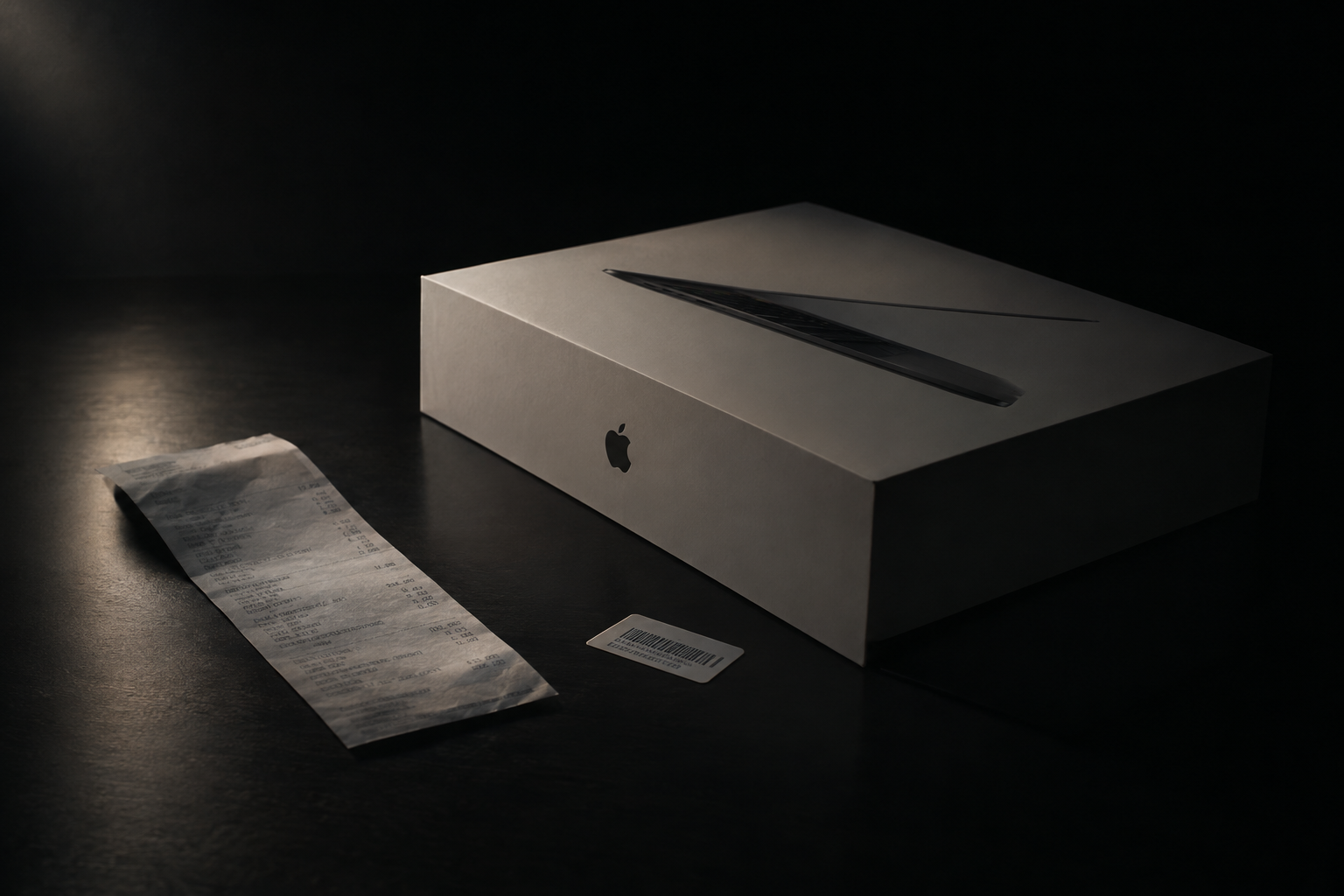
Used-Mac buyers have been burned, and it's made them wary. A machine that's locked to someone else's account, or quietly reported lost, is useless to whoever buys it — so a careful buyer will want some assurance that the Mac is genuinely yours to sell. Knowing how to prove your Mac isn't stolen to a cautious buyer is really about making a handful of small, verifiable facts line up in front of them. Do it well and you not only close the sale, you often close it faster and at a better price, because trust removes the buyer's reason to haggle down for risk.
None of this requires special documents most people don't have. It's mostly about surfacing what's already on the machine and in your records, and letting the buyer see it match.
The receipt is nice; the serial match is better
An original purchase receipt or order confirmation is the cleanest proof of all, and if you have it, show it. But plenty of legitimate sellers have long since lost theirs, and buyers know a receipt can be faked, so it's not the linchpin people assume. What's harder to fake is a chain of matching serial numbers.
Every Mac carries its serial number in several places, and they should all agree. Per Apple's guide to finding your serial number, you can read it from About This Mac (Apple menu > About This Mac), from System Information under Hardware, and it's "usually printed on the underside of the Mac, near the regulatory markings" — and often on the original box, next to a barcode. Showing a buyer that the number on the machine matches the number on the box matches the number in software is a quiet but powerful demonstration: a thief grabbing a laptop rarely has the matching box.
One honest caveat Apple flags: if the Mac's logic board was ever replaced in a repair, the printed serial may no longer be the active one. In that case the current number in About This Mac is the authoritative one, and worth explaining to the buyer so the mismatch doesn't look suspicious.
Activation Lock is the real test
Here's the fact that matters more than any piece of paper: a Mac that's been properly signed out of its previous owner's account can't stay secretly locked to them. Activation Lock, tied to Find My, is Apple's anti-theft system — a stolen Mac that's still in someone's account will demand that person's Apple Account credentials to set up, and there's no way around it. So the most convincing proof you can offer is simply that the lock is off.
Clear it before the buyer ever asks. As Apple's Activation Lock instructions describe, turning off Find My Mac disables it: open System Settings, click your name, choose iCloud, select Find My Mac, and turn it off with your Apple Account password. Removing the Mac from your account's device list (via iCloud.com/find, if needed) does the same from the web. A buyer who watches the Mac boot to a clean setup screen with no account prompt is seeing live proof that no prior owner can reach back in.
The single most reassuring thing you can do: hand the buyer a Mac that's already erased, signed out of your Apple Account, and free of Activation Lock. A machine that sets up fresh, with no lingering credentials demanded, is self-evidently clear — no amount of paperwork beats watching it happen.
Let the buyer verify coverage themselves
Transparency beats assurance. Rather than just telling a buyer the machine is clean, invite them to check. Apple's public Check Coverage tool lets anyone enter a serial number and see the device's warranty and support status. Reading that page together does two things: it confirms the serial is real and recognized by Apple, and it shows the machine's coverage honestly. A seller who volunteers the serial for a buyer to look up is signaling they have nothing to hide — which is precisely the signal a cautious buyer is waiting for.
What a clean handoff looks like
| What the buyer wants to know | How you prove it |
|---|---|
| Is this the real machine it claims to be? | Serial matches on the Mac, the box, and in software |
| Is it still tied to anyone's account? | Find My off, Activation Lock cleared, boots to fresh setup |
| Is it recognized and legitimate? | Serial checks out on Apple's Check Coverage page |
| Did you really buy it? | Original receipt or order confirmation, if you have it |
If a buyer still insists the Mac might be stolen as a negotiating tactic, that's a different problem — one we cover in how to protect yourself when a buyer claims the Mac is stolen.
Skip the trust dance entirely
Proving provenance to a stranger is work, and some buyers won't be satisfied no matter what you show them. A professional buyer runs these same checks — serial validity and Activation Lock status — as routine, which means the burden shifts off you. When you take an instant offer from Encore, you're not performing trust for a nervous individual; you're handing the machine to a buyer who verifies it the same way every time, and pays you once it checks out.
Get an instant offer on your Mac
A real number in about 30 seconds — working or not. Free prepaid shipping, no seller fees, paid the day it arrives.*
Get my offerSources
More from Encore
 Guides & How-To
Forgot Your Mac's Password Before Selling? Here's What to Do
Locked out of a Mac you want to sell? Here are the recovery routes in order — and the Find My step you still must not skip, even after a full erase.
Nov 17, 2026 · 4 min read
 Guides & How-To
How to Check Your Mac's Parts and Service History
Apple silicon Macs now keep a record of repairs. Here's how to read the Parts & Service screen, what the labels mean, and why it matters at resale.
Nov 16, 2026 · 4 min read
 Guides & How-To
How to Move Your Data Off a Mac Before You Sell It
Get every file onto your new machine or a backup before you wipe the old one. A calm, correct walkthrough of Migration Assistant, Time Machine, and iCloud.
Nov 15, 2026 · 4 min read