How to Ship a MacBook So It Arrives in One Piece
A step-by-step guide to packing a MacBook for shipping: power off, cushion, double-box, keep the battery installed, and insure it.
Encore Editorial · Sep 23, 2026 · 6 min read
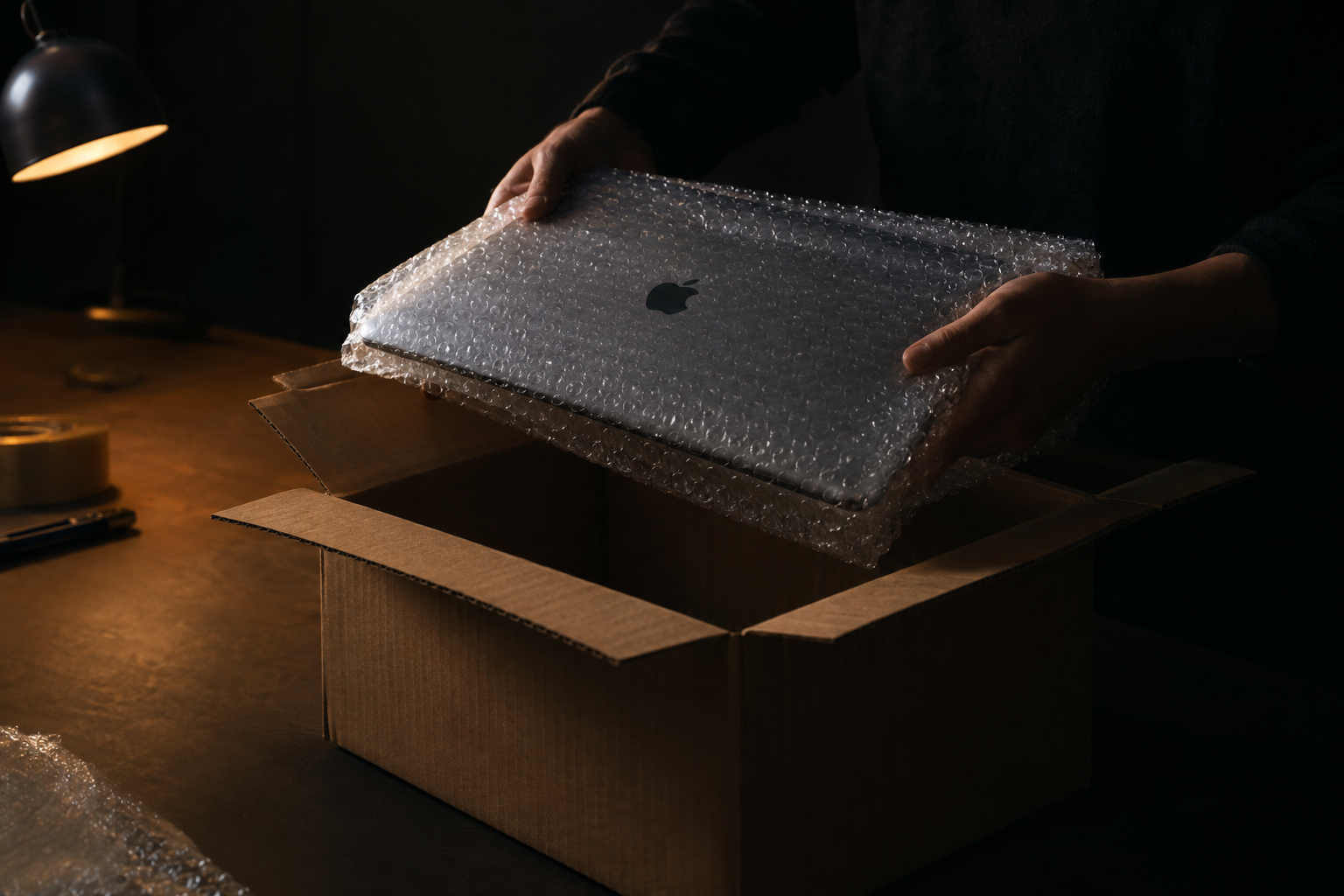
Learning how to ship a MacBook the right way is mostly about respecting two facts: a laptop is a rigid, screen-fronted object that hates flexing, and shipping is a series of drops and squeezes, not a gentle glide. Get the packing right and a MacBook travels across the country without a mark. Get it wrong — most often by trusting a padded envelope — and you are gambling a valuable machine on luck. This guide walks through how to ship a MacBook so it arrives in one piece.
Before you pack: power down and protect the surfaces
Start with the machine itself. Shut the MacBook down completely rather than closing the lid on a sleeping computer — as the USPS-focused guidance from Esevel puts it, the device must be "fully shut down, not in sleep mode." A sleeping laptop can wake in transit, generate heat inside a sealed box, and drain the battery.
Next, protect the vulnerable surfaces. The screen and keyboard are the two things most likely to be damaged by pressure. GadgetGone recommends laying "a small piece of bubble wrap" across the keyboard before you close the lid, which keeps the keys from pressing into the display under load. A slip of foam or thin cardboard does the same job. Keep any accessories away from the screen — Secursus warns to place them "never directly on top of the laptop screen," since a charger resting on the lid becomes a pressure point.
The short version: Power off fully, cushion the keyboard, wrap in two or more layers of bubble wrap, seat the MacBook in a snug inner box, and surround it with about two inches of padding inside a sturdy outer box. Keep the battery installed, and ship tracked and insured. A bubble mailer is not packaging for a laptop.
Wrap it: two layers of bubble wrap, then a snug box
With the lid closed and the keyboard protected, wrap the whole MacBook. Secursus is specific: "Wrap the laptop in at least two layers of bubble wrap. Place it in a snug-fitting box so it cannot shift." Two layers matters — a single thin layer flattens under weight and offers little real cushioning. Tape the bubble wrap closed so it does not unravel mid-transit.
The inner box should fit the wrapped laptop closely, with no room to slide. Movement is the enemy: a machine that can shift inside its packaging builds momentum during a drop and slams into a wall. A close-fitting inner box turns the whole parcel into a single stable unit.
Double-box it with about two inches of cushioning
This is the step most people skip, and it is the one that actually absorbs impacts. The reliable method is to place that snug inner box inside a larger, sturdy outer box, with cushioning filling the gap on every side. Easyship advises choosing an outer box "slightly larger than the laptop, so there's enough space for cushioning filler on all sides," keeping at least two inches between the laptop and the box walls. Secursus frames the same target as "at least 2 inches of padding on all four sides and top and bottom," using a reinforced corrugated outer box.
Fill the gap with bubble wrap, crumpled paper, or foam — enough that the inner box does not move when you shake the parcel. Esevel's rule is worth memorizing: "The laptop should not touch the outer box directly." Those two inches of cushioning are what convert a drop onto a concrete floor into a survivable event.
The battery stays installed
You do not need to remove or ship the battery separately, and you should not try. Carriers allow a MacBook's lithium-ion battery to travel because it is sealed inside the device — Esevel states flatly that "lithium batteries must be installed inside the equipment." Loose or spare lithium batteries are what trigger restrictions; a battery built into a powered-off laptop is fine. Leave it where it is, keep the machine shut down, and pack normally.
Ship it tracked, insured, and unmarked
Once it is boxed, how you send it matters as much as how you packed it. Standard carrier liability is thin — Secursus notes it caps at a nominal amount that does not come close to covering a MacBook — so add tracking and insurance for the replacement value. Esevel agrees it is "worth adding insurance." Tracking also protects you in a dispute by proving the machine moved and arrived.
One quieter tip: keep the outside plain. Secursus points out that "plain, unmarked packaging reduces the risk of theft," so avoid writing "MacBook" or "Apple" on the box, and remove any old shipping labels so the parcel is not misrouted.
When you don't have to source any of this
All of the above assumes you are buying materials and arranging the label yourself. If you are selling the machine, that work may already be handled for you. When you sell a Mac to a buyer that provides shipping, you receive a prepaid, tracked label specced for a laptop, so your only job is the packing itself — power off, cushion, double-box. If you are weighing that route, an instant offer takes about thirty seconds, and the label and tracking come with it.
The bottom line
Shipping a MacBook safely is not complicated, but it is unforgiving of shortcuts. Power it off completely, protect the keyboard and screen, wrap it in two or more layers of bubble wrap, seat it snugly, and double-box it with about two inches of cushioning on every side. Keep the battery installed, send it tracked and insured, and keep the box plain. Do that and the machine arrives exactly as it left — which is the entire point.
Get an instant offer on your Mac
A real number in about 30 seconds — working or not. Free prepaid shipping, no seller fees, paid the day it arrives.*
Get my offerSources
More from Encore
 Guides & How-To
What Actually Gets Erased When You Wipe a Mac
Wiping a modern Mac destroys an encryption key, not files one by one. Here's what really disappears and what survives the erase.
Sep 26, 2026 · 6 min read
 Guides & How-To
Real vs Counterfeit Mac Chargers: How to Tell and Why It Matters
Most fake Mac chargers fail basic safety tests. How to spot a genuine adapter — and why keeping it protects your resale value.
Sep 25, 2026 · 6 min read
 Guides & How-To
Why 2021-and-Newer Macs Have Randomized Serials — and Why It Matters
Apple stopped encoding the model, storage, and build date into serial numbers in 2021. Here's how to verify a used Mac now.
Sep 25, 2026 · 6 min read