How to Safely Ship a MacBook When You Sell It
Packaging, cushioning, tracking, and insurance — a practical guide to getting a Mac to its buyer intact, and getting paid without getting burned.
Encore Editorial · Sep 10, 2026 · 7 min read
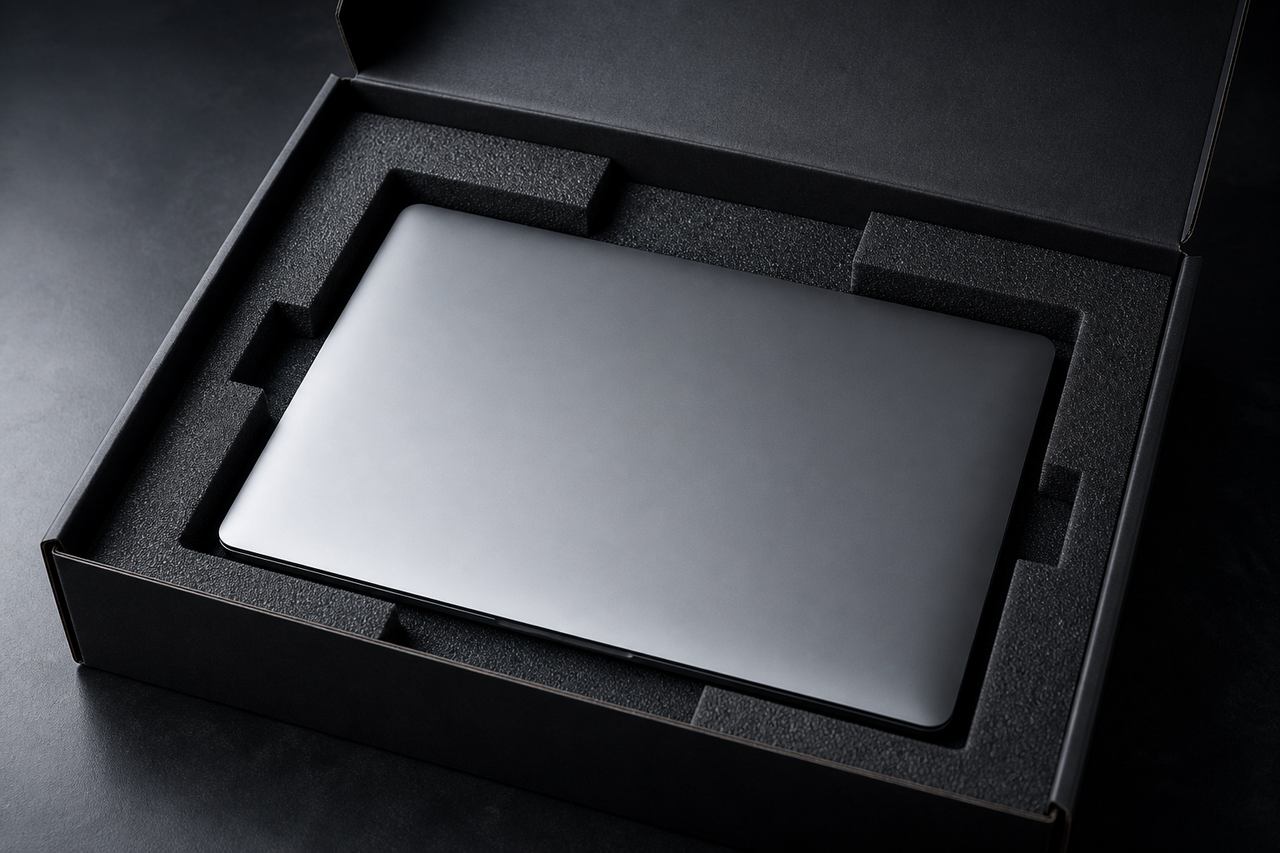
Shipping a Mac feels nerve-wracking the first time. You're putting an expensive, fragile object into a system of conveyor belts and delivery trucks and trusting it to come out the other end intact — and, if you're selling to a stranger, trusting that you'll actually get paid. Both of those worries are manageable, but they call for two different kinds of care: physical packing, and transaction hygiene. Get both right and shipping becomes routine.
Pack it like it will be dropped, because it might be
The single most useful mindset when boxing a laptop is to assume the carrier will drop the package at least once. Owners who ship Macs regularly converge on the same approach in threads like this MacRumors discussion of the best way to ship a MacBook: wrap the machine, suspend it away from the walls of the box, and never let it touch the outer cardboard directly.
A packing sequence that works
- Use the original box if you have it. An Apple retail box, placed inside a slightly larger shipping carton with cushioning around it, is close to ideal.
- No original box? Build one. Wrap the closed MacBook in a layer of bubble wrap, then a second layer, taping snugly but not so tight that pressure lands on the screen.
- Double-box for real protection. Put the wrapped machine in a snug inner box, then that box inside a larger one with two to three inches of packing on every side — bubble, foam, or crumpled paper — so nothing shifts when you shake it.
- Immobilize it. If you can hear or feel the contents move, add more filler. Movement is what turns a drop into a cracked screen.
- Tape every seam and remove or cover old shipping labels.
Desktops are a different job
An iMac or a large all-in-one is far harder to ship than a laptop, and the failure mode is almost always the glass. As sellers discuss in the MacRumors thread on shipping a 27-inch iMac, the original packaging with its molded foam is genuinely the safest option, because it braces the screen exactly where it needs support. Without it, you're looking at a custom foam-and-cardboard build around the display, shipped screen-vertical rather than flat, and even then the risk stays higher than for a laptop. If a desktop is bulky, fragile, and lacks its original box, that's often a strong reason to avoid shipping it person-to-person at all.
Suspend, don't just stuff. The goal isn't a box packed tight with foam — it's the Mac held in the center of the carton so no shock reaches it directly. Double-box, leave a cushion on every side, and make sure nothing shifts when you shake it. For an iMac, original packaging isn't a nicety; it's the difference between arriving whole and arriving cracked.
Tracking and insurance are non-negotiable
Once it's packed, every shipment should go out with tracking and enough insurance to cover the machine's full value. Tracking protects you against "it never arrived" disputes; insurance protects you against genuine transit damage. Before you seal the box, photograph the Mac — including its serial number — and photograph the packed carton. That record is your evidence if a claim or a dispute comes up later.
The scam that targets shippers
Physical safety is only half the battle. On person-to-person platforms, the classic shipping scam is aimed squarely at the seller: a buyer sends a fake payment confirmation, or overpays with a bad check and asks for the difference back, then pressures you to mail the Mac before the money is real. The FTC's guidance is blunt — when selling stuff online, never accept a check for more than your selling price, don't share verification codes, and confirm funds have truly cleared before you ship. Screenshots of a "pending" payment are not money. The rule that survives every variation of this scam: nothing leaves your house until real, cleared funds are in your account.
How the pieces fit together
| Risk | What protects you |
|---|---|
| Transit damage | Double-boxing, suspension packing, full-value insurance |
| "It never arrived" | Tracked shipping, photos of the packed box |
| Fake or reversed payment | Wait for cleared funds; ship only after you're truly paid |
| Damage dispute on arrival | Pre-ship photos of the Mac and its serial number |
Or let the buyer handle the shipping risk
Every step above is worth doing when you sell to an individual — but it's a lot of care to shoulder alone, and the payment risk never fully goes away. Selling to a dedicated buyer flips most of that burden off your shoulders. With Encore you get an instant online offer in about 30 seconds and a free prepaid, insured shipping label — so you're not buying postage or guessing at coverage — and you're paid once the Mac arrives, with the accepted offer being exactly what you're paid. You still pack it carefully, but the label, the insurance, and the payment are already handled, and there's no fake-confirmation scam to watch for because there's no stranger on the other end. It won't always beat a flawless private sale on headline price, but it removes the two things people dread most about shipping a Mac: the cost and the risk. If you'd rather not run the person-to-person gauntlet, you can see what your Mac is worth as-is first.
Get an instant offer on your Mac
A real number in about 30 seconds — working or not. Free prepaid shipping, no seller fees, paid the day it arrives.*
Get my offerSources
More from Encore
 Guides & How-To
How to Check If Your Mac Is Still Under AppleCare
Find out in two minutes whether your Mac still has AppleCare or warranty coverage, how to read the result, and whether it transfers to a buyer.
Nov 19, 2026 · 4 min read
 Guides & How-To
How to Prove Your Mac Isn't Stolen to a Cautious Buyer
Nervous buyers want proof a used Mac is really yours to sell. Here's the paperwork and the two-minute checks that put their mind at ease.
Nov 18, 2026 · 4 min read
 Guides & How-To
Forgot Your Mac's Password Before Selling? Here's What to Do
Locked out of a Mac you want to sell? Here are the recovery routes in order — and the Find My step you still must not skip, even after a full erase.
Nov 17, 2026 · 4 min read